
Photo: Christopher Gower / Unsplash
MCP
What an MCP phone server is — and how AI phone calling works
If you are not a developer, “MCP phone server” sounds like three buzzwords taped together. Fair. I will unpack it the way I explain it to friends who just want the AI they already use to ring a real desk.
If you are not a developer, “MCP phone server” sounds like three buzzwords taped together. Fair. I will unpack it the way I explain it to friends who just want the AI they already use to ring a real desk.
This is category education, not a feature dump. Product setup lives on the MCP page. Claude- and Grok-specific clicks are on Claude phone and Grok phone.
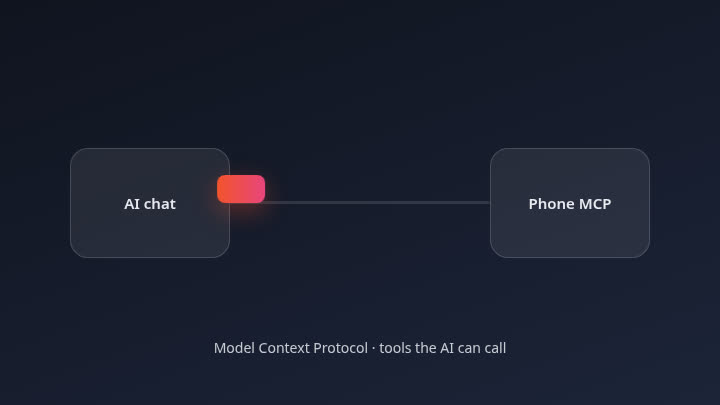 AI chat connecting to a phone MCP connector
The short version
MCP is a shared way for an AI chat client and an outside tool to talk.
A phone server in that world is the tool that knows how to place calls.
Together, an MCP phone server lets you type “please call this shop and ask…” inside Claude, Grok, or another MCP-capable AI, and get a real outbound call plus a summary — without building telephony yourself and without installing a new consumer phone app from us.
That is the whole idea.
MCP in one analogy
Imagine your AI is a careful office assistant who only works at a desk. The desk has labelled drawers. MCP is the labelling system. Each drawer is a tool: calendar, docs, search, and — here — phone.
When you say “call Café Luna and ask if they have oat milk,” the assistant checks whether a phone drawer exists. If you connected one, it opens that drawer and uses the calling tools inside. If you did not connect one, it can only shrug or tell you to dial yourself.
You are not learning SIP trunks. You are connecting a drawer.
Different AI clients implement the “add drawer” UI differently. The protocol underneath is what keeps the idea portable: Claude today, Grok tomorrow, another MCP client later. We document Claude and Grok first. For anything else, the rule is simply: any AI that supports MCP.
Builders who want HTTP instead of MCP can read the live API page. Most people reading this post will never need it.
Where the phone number fits
A calling tool still needs a number to place the call from. On AI Bot Phone you pick a country in a country picker and the AI gets its own number for outbound use.
Why that matters in plain language:
- The restaurant’s caller ID is not randomly your private mobile every time you test a prompt.
- You can talk about “the assistant’s line” when you brief a task.
- The number is part of the product you signed up for, not a mysterious API key with no identity on the network.
You choose the country that fits the people you will call. We will not pad this post with country counts or leaderboard claims. One careful number beats a flashy statistic.
To get started, sign up; if you already have an account, log in. Pricing: $9 for the first month, then $19/month.
Outbound calls, not “the AI answers your mobile”
This distinction causes most of the confusion I see online.
Outbound means the AI starts a call to a number you named — the clinic, the hotel desk, the parts counter — because you asked it to.
Some phone products answer when someone else dials the number.
AI Bot Phone, as we describe it here, is about outbound calls, summaries, and follow-ups. We do not claim it answers calls that other people place to the number. If you need a full receptionist product, that is a different category. I would rather under-claim than leave you debugging expectations.
Also: this is not “replace your smartphone.” There is no AI Bot Phone mobile app to download. The phone capability shows up inside the AI client you already use, after you connect MCP and sign in on the web.
Summaries and follow-ups
A call without a write-up is just noise on someone else’s afternoon.
After an outbound call you should get a summary you can read in chat: did they answer, what they said about the booking or the stock question, anything left open. From there you can ask for a follow-up — another call, a note to yourself, a tighter question. Anything that spends more call time or contacts someone again should wait for your approval.
That loop is how AI phone calling stays useful for errands instead of drifting into spammy autodial behaviour. The model proposes. You still steer.
Example brief you might give after connecting:
Call Baumgartner Optik, +41 44 ••• ••19. Ask whether Sofia Almeida’s repaired glasses are ready for pickup this week. If they need a ticket number, stop and tell me. Summarise the answer in two short paragraphs.
No tool names required in your prompt. No server URLs pasted into the blog for you to memorise. Your account and client docs show the connection details when you need them; those values change and should not be frozen as “facts” in a launch article.
Who this is for (and who it isn’t)
For you if: you already live in Claude, Grok, or another MCP client; you hate phone tag for simple questions; you want the AI to place the call and bring back notes; you are fine approving anything sensitive.
Not the centre of this product if: you need a contact-centre platform, a product that answers calls people place to the number, or a consumer dialler app on your home screen. Also not for pretending an AI is a licensed professional on regulated advice calls — keep humans in the loop where the law or common sense requires it.
If the short version still sounds like what you wanted, read the MCP overview, then the client page that matches your setup, then sign in and try one outbound call to a number you control.
FAQ
What does MCP stand for?
Model Context Protocol — a standard for connecting AI clients to outside tools.
What is an MCP phone server?
A tool server that speaks MCP and can place phone calls (here: outbound calls from a number you assign), then return results such as a summary to the AI chat.
Do I need to be a developer?
No for basic use. You sign in, pick a country for a number, connect MCP in your AI client, and ask in normal language. Developers can also use the API.
Is there a mobile app?
No. You connect inside the AI you already use.
Does this answer calls people place to the number?
No. The focus is outbound calls you start through the AI.
How much is AI Bot Phone?
$9 for the first month, then $19/month.
Ready to try it? Connect Claude or Grok with an outbound phone line — Sign up